Ping Monitoring
Ping Monitoring
Ping (ICMP) is a standard protocol used to verify if a remote host is reachable and to measure network latency. ZoomPhant provides a simple way to monitor host availability using the Ping Checker plugin.
Create Ping Monitoring
To start monitoring a remote host, select the Ping Checker plugin from the plugin library. You will be prompted to configure the following parameters:
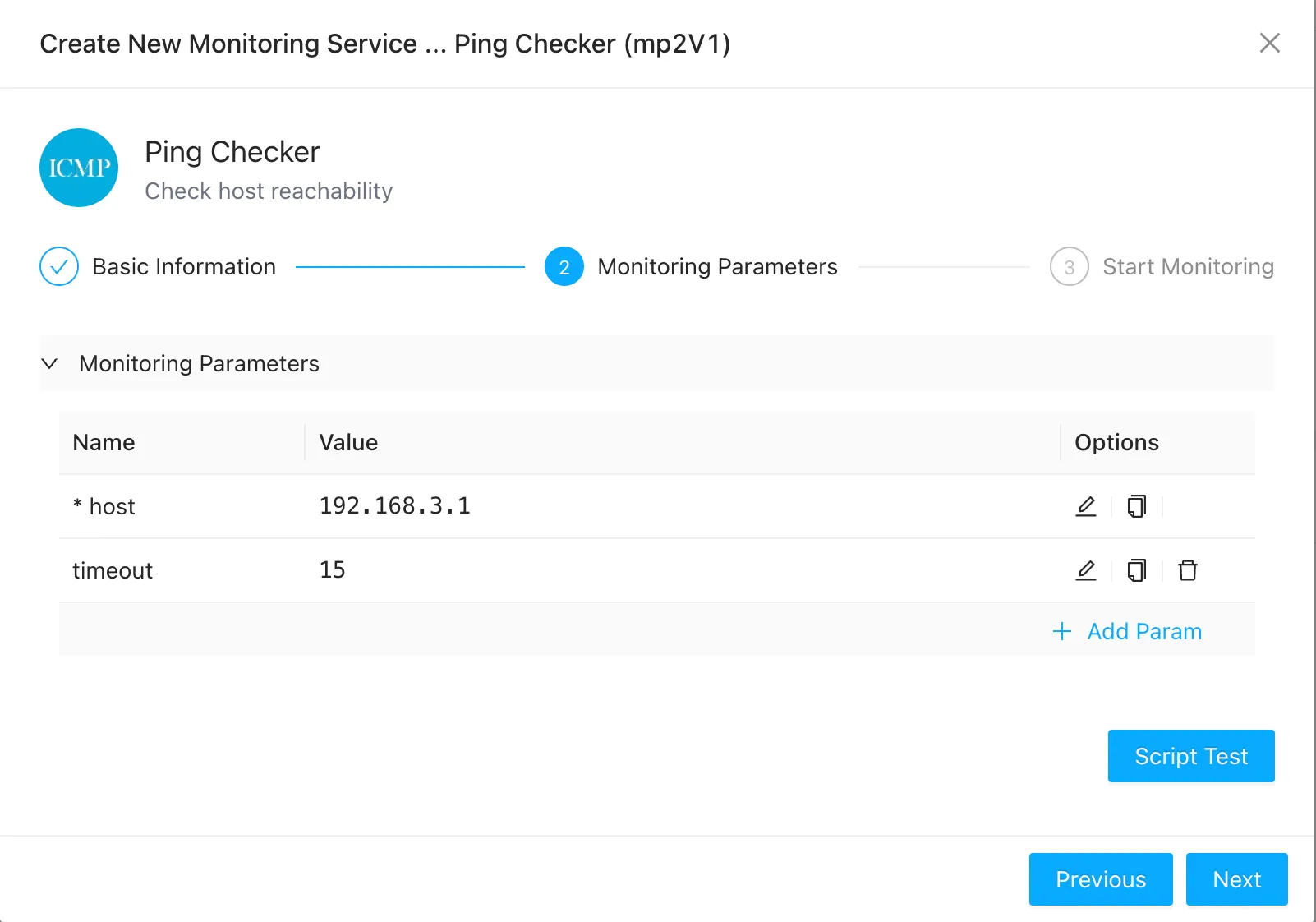
- host: The IP address or domain name of the target device to ping (required).
- timeout: The ICMP request timeout in seconds.
Once you have configured the parameters, click Test to verify connectivity, and then click Finish to add the service.
Understanding Ping Metrics
After adding the service, select it from the service list to view host status and round-trip time metrics:
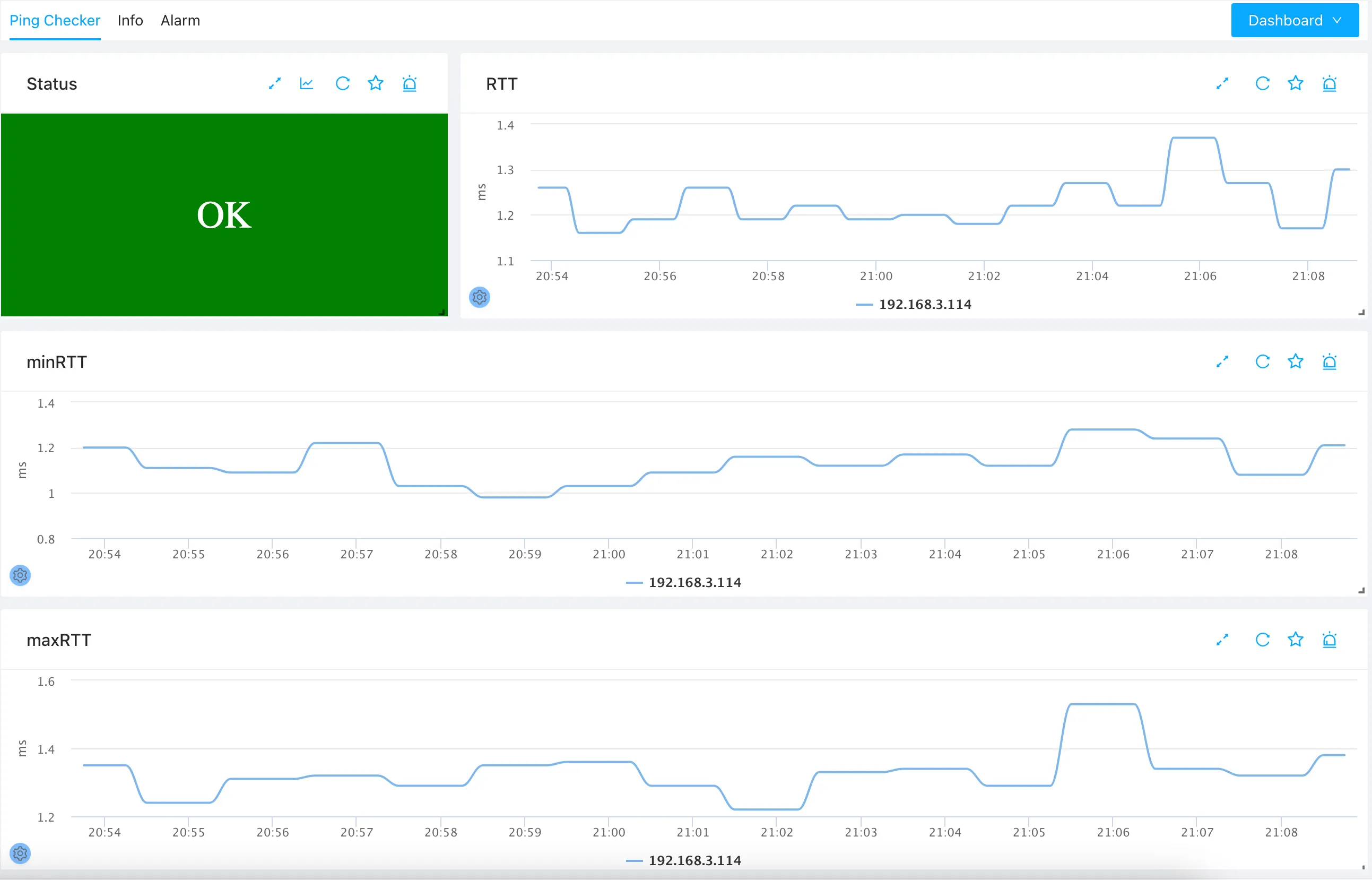
- Overall Status: The Status widget displays
OKif the target host responds to ICMP requests. If a packet loss threshold is exceeded or the host is unreachable, it will trigger an alert. - RTT (Round-Trip Time): The average round-trip latency in milliseconds. Lower RTT is preferred; on local area networks (LANs), RTT is typically under a few milliseconds.
- minRTT / maxRTT: The minimum and maximum round-trip times recorded during the measurement interval, helping you identify packet jitter.
Monitoring Multiple Devices
We recommend creating a separate ping monitoring service for each critical device. You can then monitor the state of all devices in a single view by clicking the Ping Checker plugin group tab:
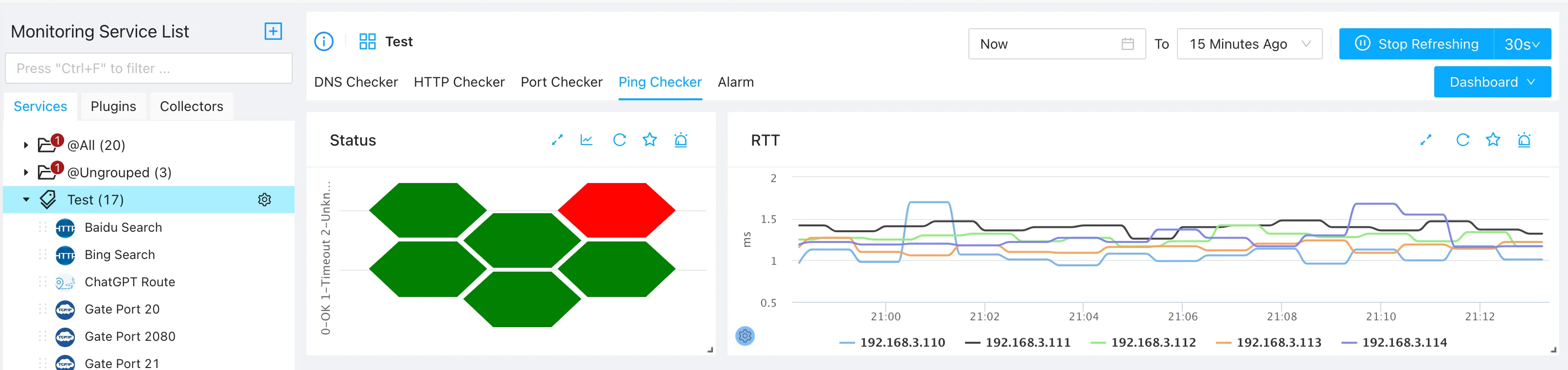
This group dashboard makes it easy to identify unreachable hosts and compare RTT latency trends across all monitored targets.