Add Log Monitoring
ZoomPhant provides multiple methods for collecting log data.
Collecting Local Logs
Local logs refer to files that are accessible directly by a ZoomPhant collector (either on a local disk or an NFS-mounted drive). To collect these logs, select Collector Local File in the plugin selector when adding a service (see Adding a Monitoring Service) and configure the following parameters:
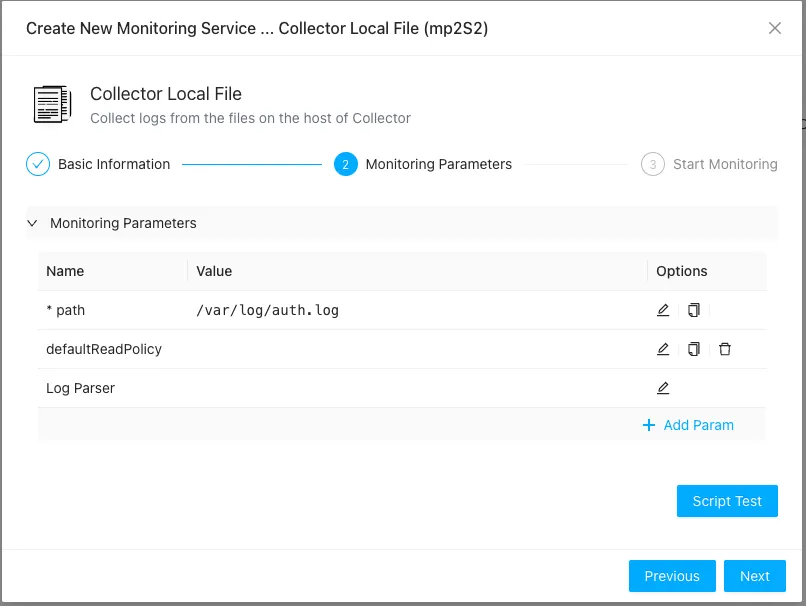
- path: (Required) The file path to the log files. The collector automatically handles log rotation, file truncation, and new file creation.
- defaultReadPolicy: Determines where the collector starts reading a new file. Options are
start(read from the beginning) orend(read only new entries). Defaults toend. - Log Parser: An advanced option used to specify how log lines should be parsed to extract structured fields (e.g., timestamps, log levels, severity). See Log Parser below.
Collecting Kubernetes Logs
Collecting logs in Kubernetes can be challenging due to pods migrating between nodes, short-lived containers, and dynamic scaling. ZoomPhant simplifies this by offering native Kubernetes log collection. Before you begin, ensure you have:
- Installed the ZoomPhant collector in your Kubernetes cluster (see Kubernetes Collector).
- Identified the target namespace and pods/services for log collection.
Once these prerequisites are met, select Kubernetes Logs (Collector) in the plugin selector and configure the following parameters:
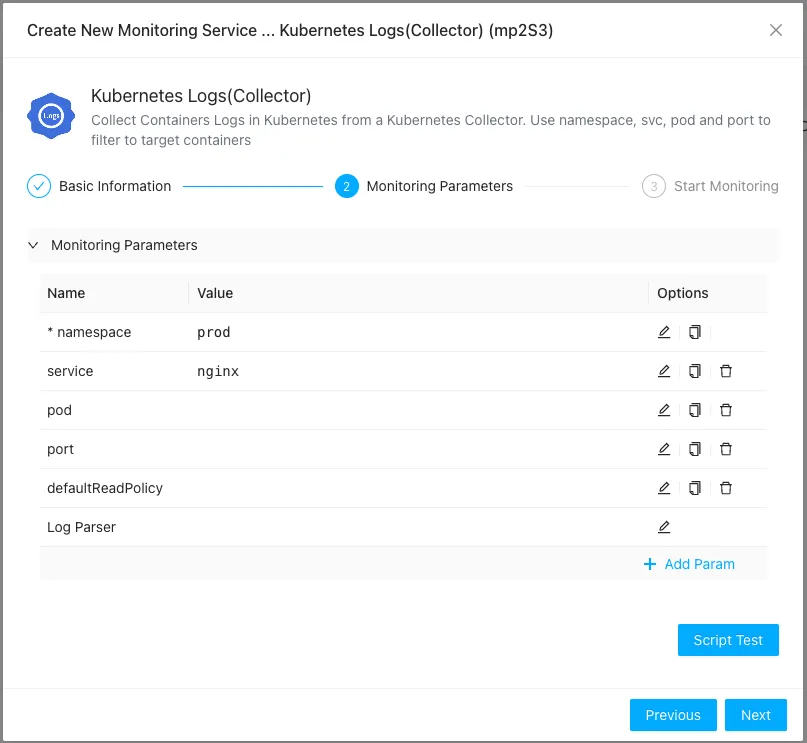
Note: Make sure you have selected your active Kubernetes collector in the previous step of the wizard.
- namespace: (Required) The Kubernetes namespace of the pods generating the logs.
- service: (Optional) The name of the Kubernetes service. If specified, the collector will auto-discover the associated pods, and you can omit the
podparameter. - pod: (Optional) The name of the pod, or a RE2 regular expression to filter target pods. This is required if the
serviceparameter is left blank. - port: (Optional) If a pod runs multiple containers, specify the port number to target the container associated with that port.
About Log Parser
ZoomPhant supports powerful log preprocessing and extraction using log parsers. Common capabilities include:
- Redundancy Filtering: Ignoring redundant log prefixes or headers.
- Format Conversion: Transforming structured logs (e.g., converting Kubernetes or Docker JSON log formats into human-readable text lines).
- Label Extraction: Extracting custom attributes like log level, severity, or transaction IDs, and mapping the correct log generation timestamp.
Detailed configuration syntax for log parsers will be provided in a separate reference guide.